How do I sign in with a magic link after I pay?
If your payment went through, access is attached to the email you used at checkout. Open /app/, sign in with that same email, and open the one-time sign-in link RangeSight sends from login@rangesightstudios.com. The link works once and lasts about 15 minutes.
Last updated: November 10, 2026
Sign in after you pay
- Open /app/.
- Enter the same email you used at checkout and choose Sign in.
- Open the email titled "Your RangeSight sign-in link", from RangeSight, login@rangesightstudios.com. It may take a few minutes. Check spam and promotions.
- Open the link on this device. The link works once and lasts about 15 minutes. If the link does not open the app, copy the token from the link and paste it with Paste a sign-in link on the sign-in screen.
- If the app does not unlock right away, choose Refresh access. A payment can take a moment to show up on the account.
You only pay once. The next time you use RangeSight in this or another browser, sign in with the same email. You stay signed in for a few hours. After that, request a new sign-in link. Lifetime access stays on the checkout email.
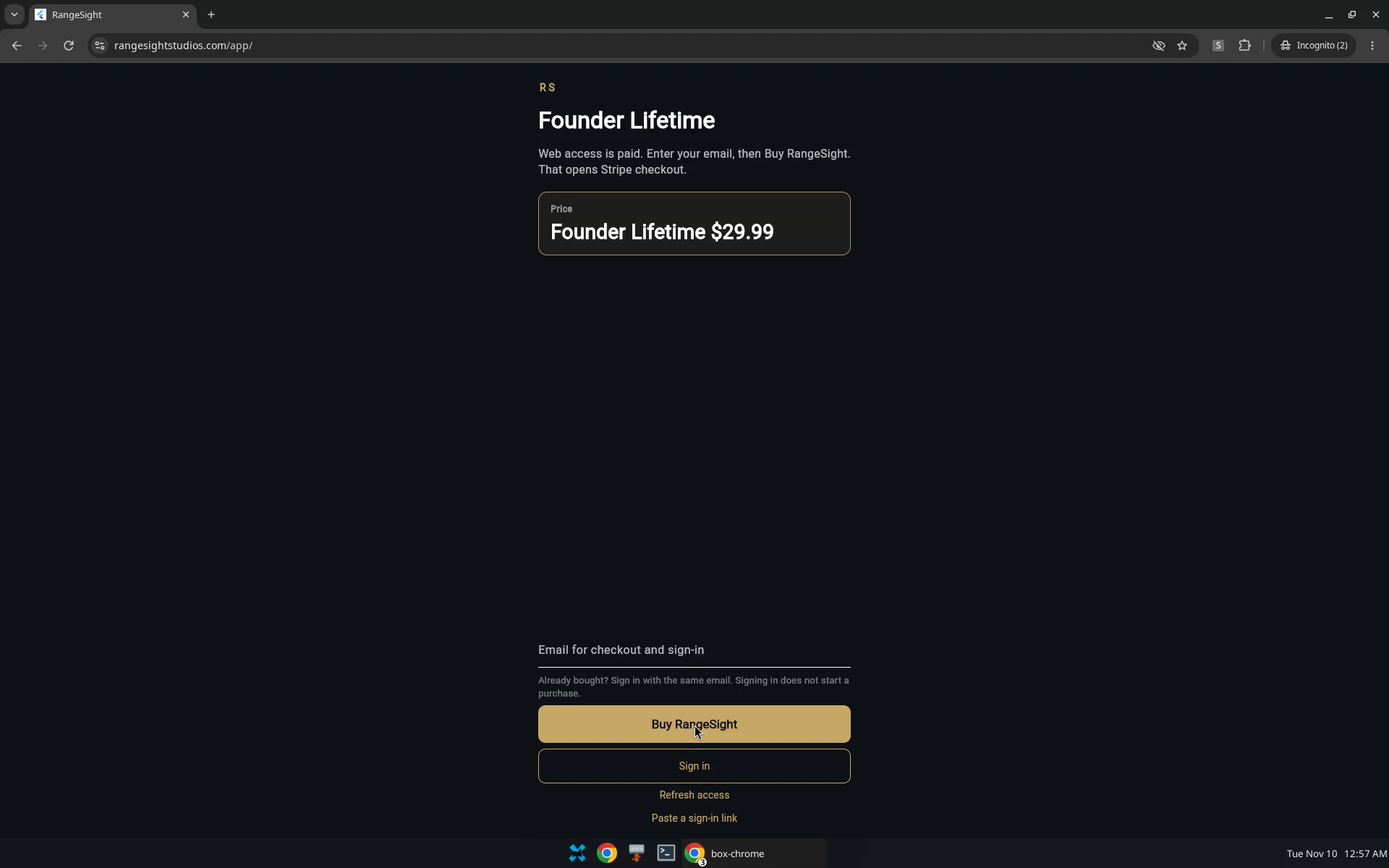
Do not use a screenshot of /app/auth opened by itself. That path is not the sign-in form.
The sign-in email
- Subject: Your RangeSight sign-in link
- From: RangeSight, login@rangesightstudios.com
The email tells you to use the link to sign in to RangeSight in your browser. If you did not ask for this email, you can ignore it. If the link does not open, return to /app/ and sign in with the same email, or paste the token from the link. For help, email contact@adepoco.com.
I paid, but I did not get a sign-in email
Look for a message titled "Your RangeSight sign-in link", from login@rangesightstudios.com. It may take a few minutes. Check spam and promotions.
If the link has expired, open /app/ and request a new sign-in link with the same email you used at checkout. You can request a new link a few times in an hour. If you are asked to wait, wait and try once more.
Sign in with the checkout email. A different email will look like a new account and will not show the purchase. You do not need to pay again.
If you still cannot get in, email contact@adepoco.com from the checkout address and include your receipt.
I signed in, but the app still asks me to pay
Choose Refresh access. If it still asks you to buy, you are likely signed in with a different email than the one on the receipt. Sign out, then sign in with the checkout email.
If that does not unlock it, email contact@adepoco.com.
Short status lines you may see
These lines are from the live After you pay page.
- Back from checkout. Sign in with the email you used at checkout, then refresh access.
- Check your email for a sign-in link. You can also paste the token from that link below.
- Payment is not on this account yet. Sign in with the checkout email and refresh access again.
- This account does not have web access yet. Sign in with the email you used at checkout.
- Could not send the sign-in link. Wait a minute and try again, or email contact@adepoco.com.
- Could not finish sign-in. Request a new link.
- This sign-in link is missing a token, or the link has expired. Request a new one.
If you land on a page that only says the sign-in link is missing a token, go back to /app/ and request a new link. Do not treat that dead-end screen as the normal sign-in form.
FAQ
How long does the sign-in link last?
The link works once and lasts about 15 minutes. If it has expired, request a new one at /app/.
How long do I stay signed in?
You stay signed in for a few hours. After that, request a new sign-in link with the same email. Lifetime access stays on the checkout email. You do not need to pay again.
Can I use RangeSight in a new browser?
Yes. Web access is tied to the email you used at checkout, not to an Apple ID. Open /app/ and sign in with that email. You will receive a sign-in link. You do not need to pay again.